
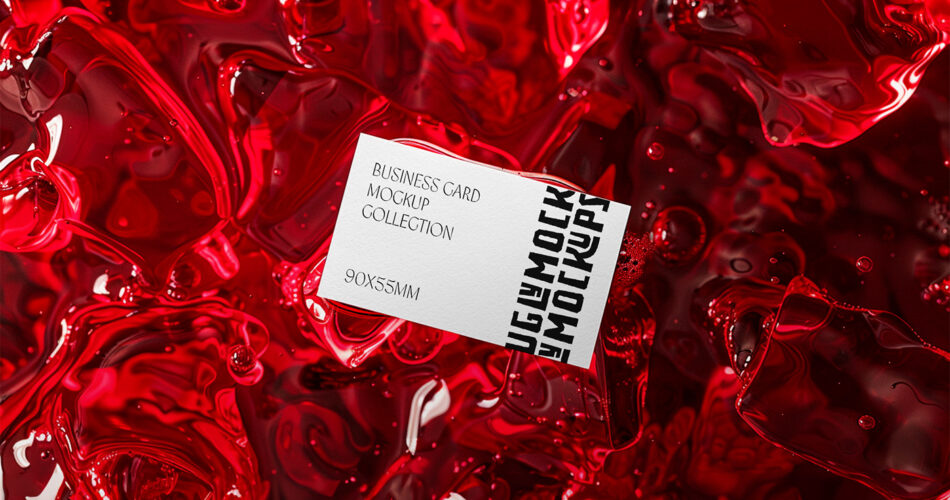
A business card mockup is one of the fastest ways to present a branding concept in a clean and professional format. This free business card mockup PSD features a realistic paper background and soft, natural shadows—ideal for showcasing logos, typography, and brand colors without distracting elements.
Whether you’re preparing a client presentation, updating a portfolio, or designing identity materials for a new business, a minimal business card mockup helps your design look polished and “real” before printing.
This free mockup uses smart object layers, so you can insert your design in seconds and export high-quality previews for web, social media, or pitch decks.
Best For
This business card mockup is ideal for:
- Branding and identity design presentations
- Client proposals and approval rounds
- Designer portfolios (Behance, Dribbble, websites)
- Agency case studies and project showcases
- Social media previews of new brand work
The paper background style works especially well for minimal, premium, and modern branding.
Why Use a Business Card Mockup?
Business cards are still one of the most common brand touchpoints. A realistic mockup lets you:
- Preview layout, spacing, and typography at real scale
- Test color contrast and logo placement
- Show clients a professional presentation without printing
- Create consistent visuals for portfolios and marketing
Mockups help you communicate design decisions clearly and speed up feedback.
Business Card Mockup PSD Details
- File Format: Layered PSD with smart objects
- File Size: Varies (commonly 20–60 MB depending on resolution)
- Zip Includes: 1 Photoshop PSD file
- License: Free for personal and commercial use (see source page for full terms)
- Software Required: Adobe Photoshop
This mockup is designed for quick customization and clean output with realistic shadows.
How to Use This Mockup in Photoshop
- Open the PSD in Adobe Photoshop
- Find the smart object layer in the Layers panel
- Double-click the smart object thumbnail
- Paste or place your business card design
- Save the smart object and return to the main PSD
- Export as PNG or JPG for your presentation
Tip: Use a high-resolution design file for the sharpest results, especially for fine typography.
What’s Included
- Smart object layer(s) for fast design insertion
- Realistic paper background texture
- Natural lighting and soft shadows
- Organized layers for easier editing
Download Free Business Card Mockup PSD
You can download this free business card mockup PSD from the original creator using the link below. All credits go to the designer who created this resource.

